
Automatic Workshop Certificates — Learnico Sends Them For You
Published on May 17, 2026
Learnico auto-generates and emails PDF certificates to workshop participants the day after your event. 20 templates, phone-photo signature, zero clicks.
Every workshop participant deserves more than a thank-you email. A certificate of participation is tangible proof of the effort and time they invested — and for you as the organiser, it's a signal of professionalism that builds your brand.
The problem is that manually designing certificates in Canva or PowerPoint, then sending them one by one, takes hours. And it's the last thing you want to think about the day after an intensive workshop.
Learnico does it for you. Certificates are generated automatically and land in participants' inboxes — with zero clicks from your side.
Certificates land in inboxes automatically
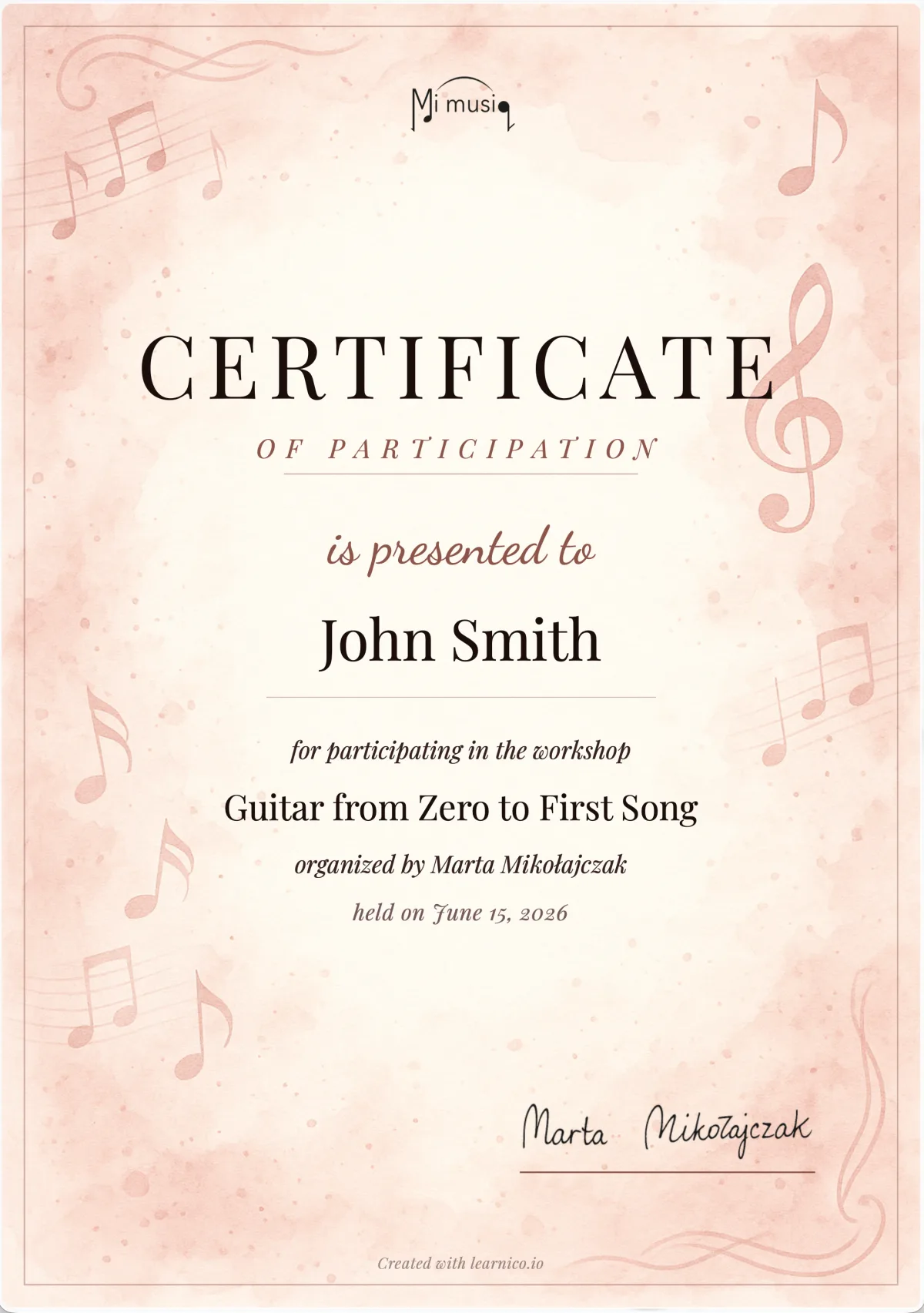
The day after your workshop ends, Learnico checks the list of confirmed registrations and generates a personalised PDF for each participant. The certificate includes the participant's name, workshop title, date, and your name as the instructor.
The finished certificate goes directly to the participant's email address as an attachment — no action required from you.
The system tracks who has already received a certificate, so even if your workshop runs multiple sessions, no one ever gets a duplicate.
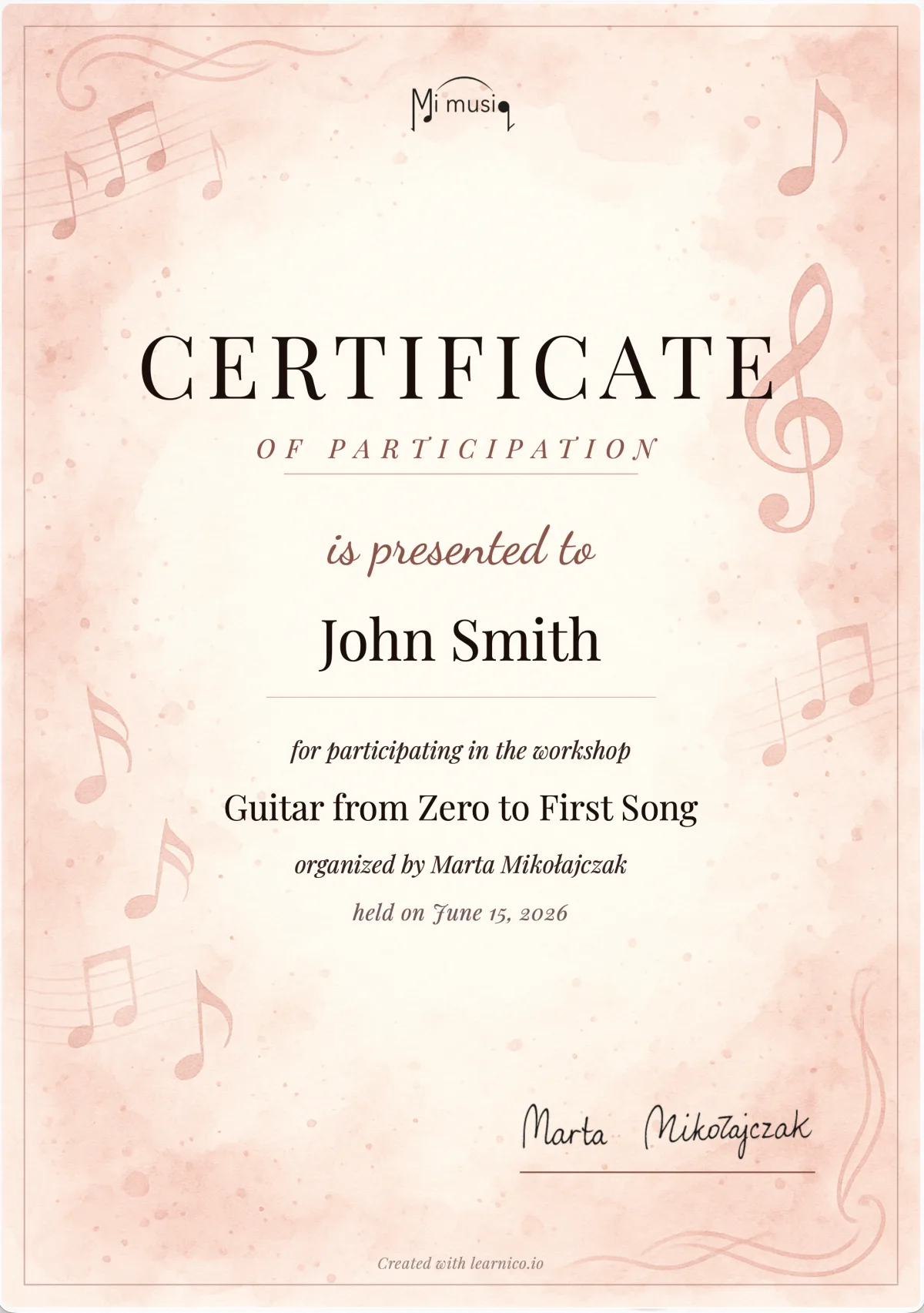
✨ A certificate isn't a formality — it's part of the participant's experience. Research shows that event participants who receive diplomas are more likely to recommend the event to friends and return for future editions.
20 templates — Nico picks the right one for your workshop
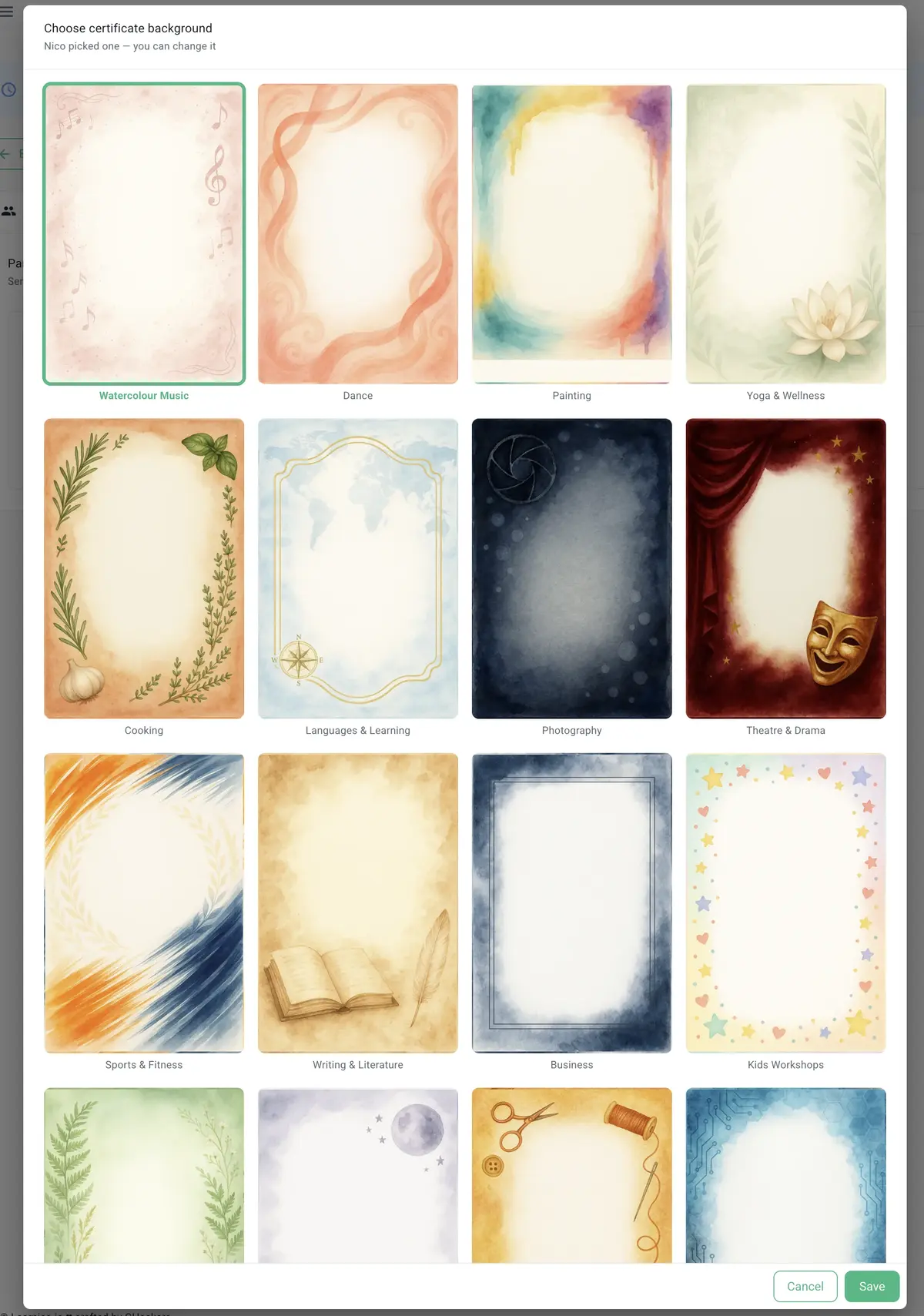
Learnico offers 20 professionally designed certificate templates — each with its own atmosphere, colour palette, and typography matched to the character of the workshop.
Running music workshops? Nico will select a watercolour template with musical notes. Organising business training? You'll get an elegant, minimalist diploma in navy and silver. Teaching kids? The system will pick a colourful, cheerful template with stars.
Available template categories include:
- Arts & Creative: music and vocals, painting, photography, theatre and drama, crafts
- Movement & Wellbeing: dance, yoga and wellness, sports and fitness, meditation
- Education & Business: languages, business, technology, writing and literature
- Family & Nature: workshops for children, nature and ecology, cooking
- Elegant & Modern: elegant warm, elegant cool, minimalist, classic formal, modern
Nico analyses your workshop title and description and automatically assigns the best-fitting background. You don't have to do anything — but if you want, you can switch templates with a single click in the gallery.
Every template has its own font colour palette matched to the mood of the artwork. Certificate text is set in Playfair Display — a classic, readable serif typeface that looks like a proper printed document.
A real-looking signature — from a phone photo
This is one of the details that impresses participants most: at the bottom of the certificate sits your handwritten signature — looking as though you personally signed each copy.
How does it work? You don't need a scanner or Photoshop.
- Take a white sheet of paper and sign it with a black pen
- Take a photo with your phone (standard camera quality is enough)
- Upload the photo in the profile tab in Learnico
Nico handles the rest. The algorithm processes the image: it removes the paper background, smooths the edges of the signature, and creates a transparent PNG file. The final result on the certificate looks like a hand-signed document — with no editing on your part.
Your signature is saved in your profile once and used automatically on every subsequent certificate — you never need to repeat the process.
💡 No signature uploaded yet? No problem. Learnico automatically renders your name in an elegant cursive typeface — the certificate looks professional even without a photo.
Setup in under a minute
Enabling certificates for a workshop takes literally a few seconds:
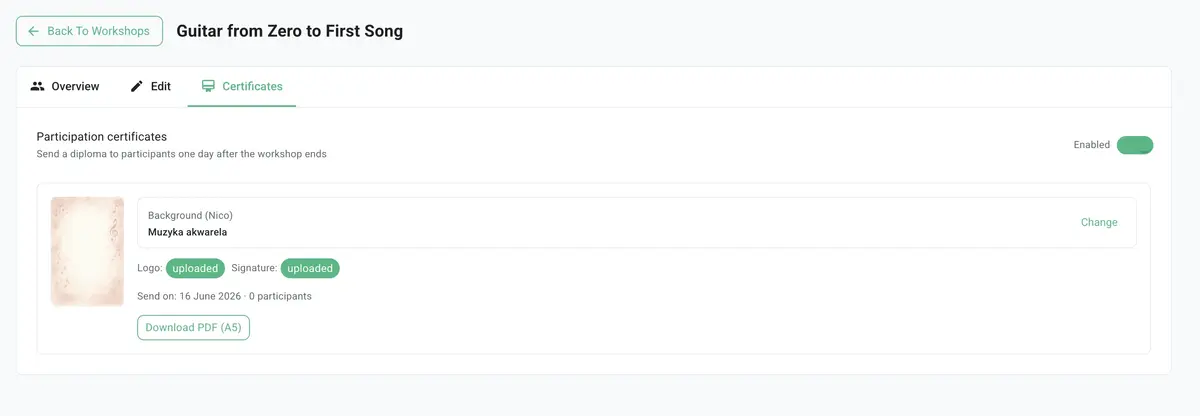
- Open the workshop and go to the Certificates tab
- Flip the switch — Nico immediately picks a matching background
- (Optional) Change the template in the gallery or upload your logo and signature in your profile
- Done. Everything else happens automatically after the workshop ends
The setting is one-time — it works for every future session of that workshop without any additional configuration.
Certificates support two languages: if your workshop is set to English, participants receive an English certificate. Polish workshop — Polish certificate. Automatically.
Frequently asked questions about certificates in Learnico
When are certificates sent to participants? The day after the workshop ends — to all CONFIRMED participants who haven't yet received a certificate. The system never sends duplicates.
Do I need to do anything after each workshop? No. Once you enable certificates in the workshop tab, everything runs automatically.
Can I choose a different template than the one Nico suggested? Yes — with a single click in the template gallery.
How do I add my signature to certificates? Upload a photo of your signature on white paper in your teacher profile. Learnico removes the background automatically.
What language are certificates in? In the workshop's language — PL or EN, set when creating the workshop.
Participation certificates are one of those things that students and attendees keep for years. Now you can give them something truly professional — without spending a single minute on it.
Try certificates on your next workshop. Enable them in the Certificates tab — Nico will handle the rest.