


Introducing Workshops: Run Group Classes Online or In-Person — All in One Place
Published on May 15, 2026
Learnico now lets independent teachers create, publish, and sell one-time workshops — online or in-person — complete with Google Reviews integration, AI-generated benefits, schema.org Event markup, and automated email flows. Here's everything that shipped.
We built workshops support into Learnico because we kept hearing the same thing from teachers: "I run a two-hour group session every month, but I have to manage sign-ups in a spreadsheet, send reminders by hand, and hope people actually show up."
That ends today.
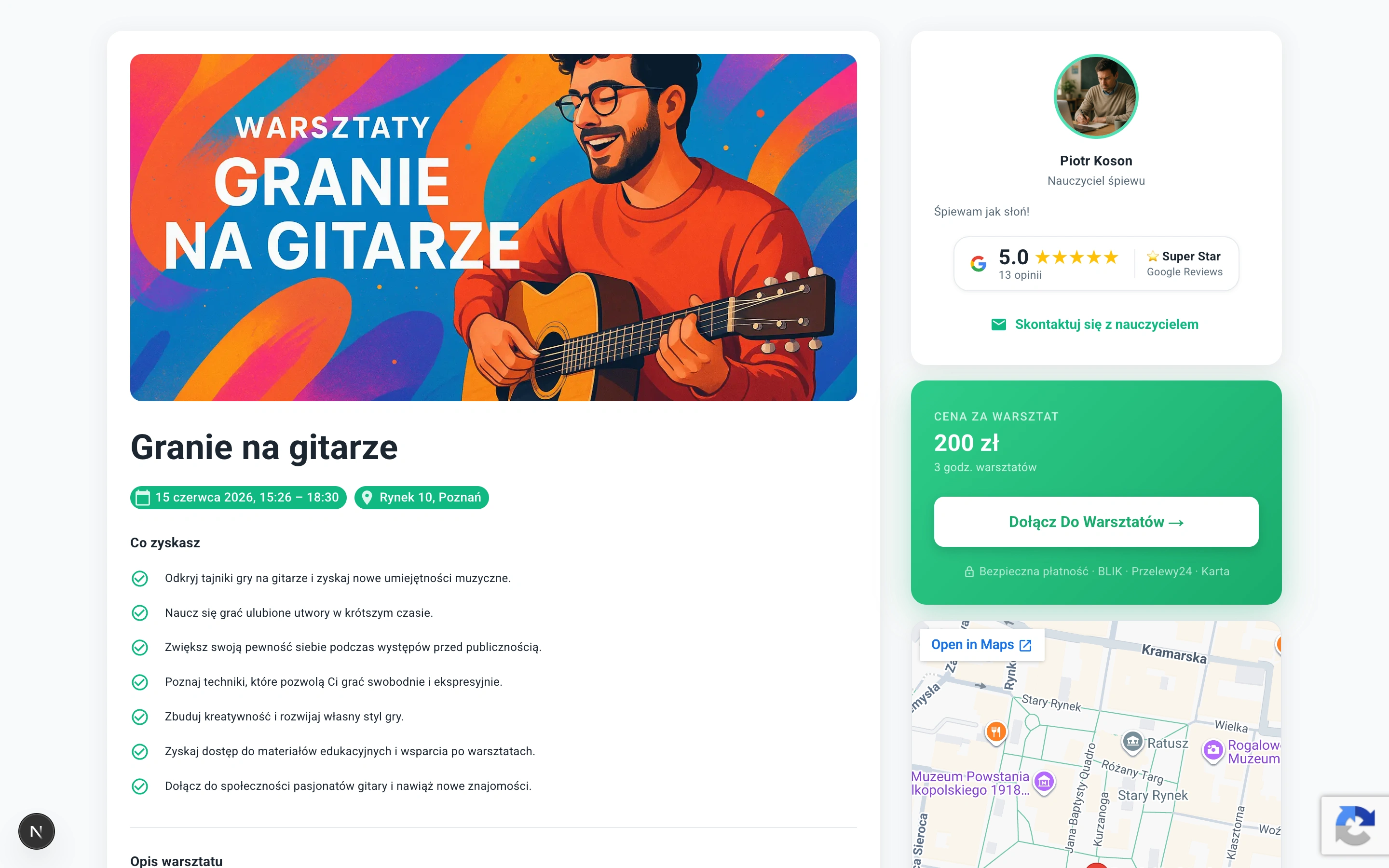
Every independent teacher on Learnico can now create, publish, and sell workshops — whether online or in-person — from a single dashboard. Students browse and enroll in seconds. You get automated emails, a waitlist when spots fill up, and a public landing page that ranks in Google.
Workshop vs. Course — What's the Difference?
Learnico supports two distinct teaching formats, and it's worth knowing when to use each.
A course is a recurring programme — it runs on a regular schedule (e.g. every Tuesday for 8 weeks) and focuses on building knowledge progressively. Students enrol once and attend the full cycle of lessons with the same teacher and group.
A workshop is a one-time event — it has a specific start date, start time, and end time. It might last two hours or two days; what matters is that it is a self-contained experience with a clear beginning and end. Students show up, get a concrete outcome — a skill, a finished project, immediately applicable knowledge — and leave.
Workshops work especially well as an entry point into your offer — low commitment for the student, fast proof of value for you.
What We Shipped
Workshop Creation in Under 5 Minutes
The workshop form covers everything a student needs to know before enrolling:
- Title and rich-text description — formatted with bold, lists, and links
- Start and end date/time with timezone selection (Warsaw, London, New York, and more)
- Format toggle — Online (with meeting link) or In-Person (full address: street, city, postal code, country)
- Price and capacity — supports PLN and EUR
- Cover image — upload your own or let Nico (our AI assistant) generate one from your title
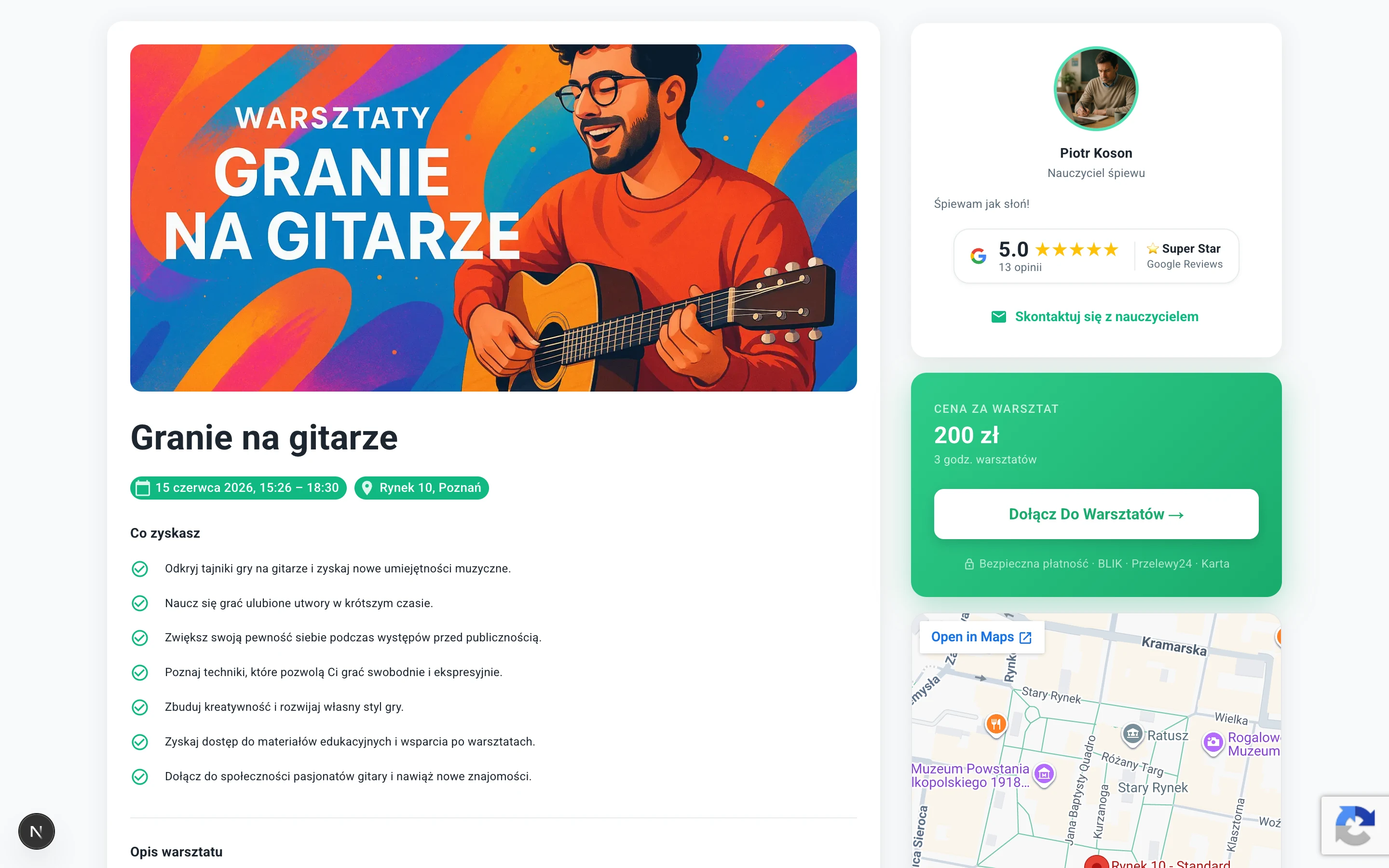
Once you hit publish, your workshop appears on a dedicated public URL at learnico.io/workshops/your-name/workshop-slug.
Benefits Section with AI Generation
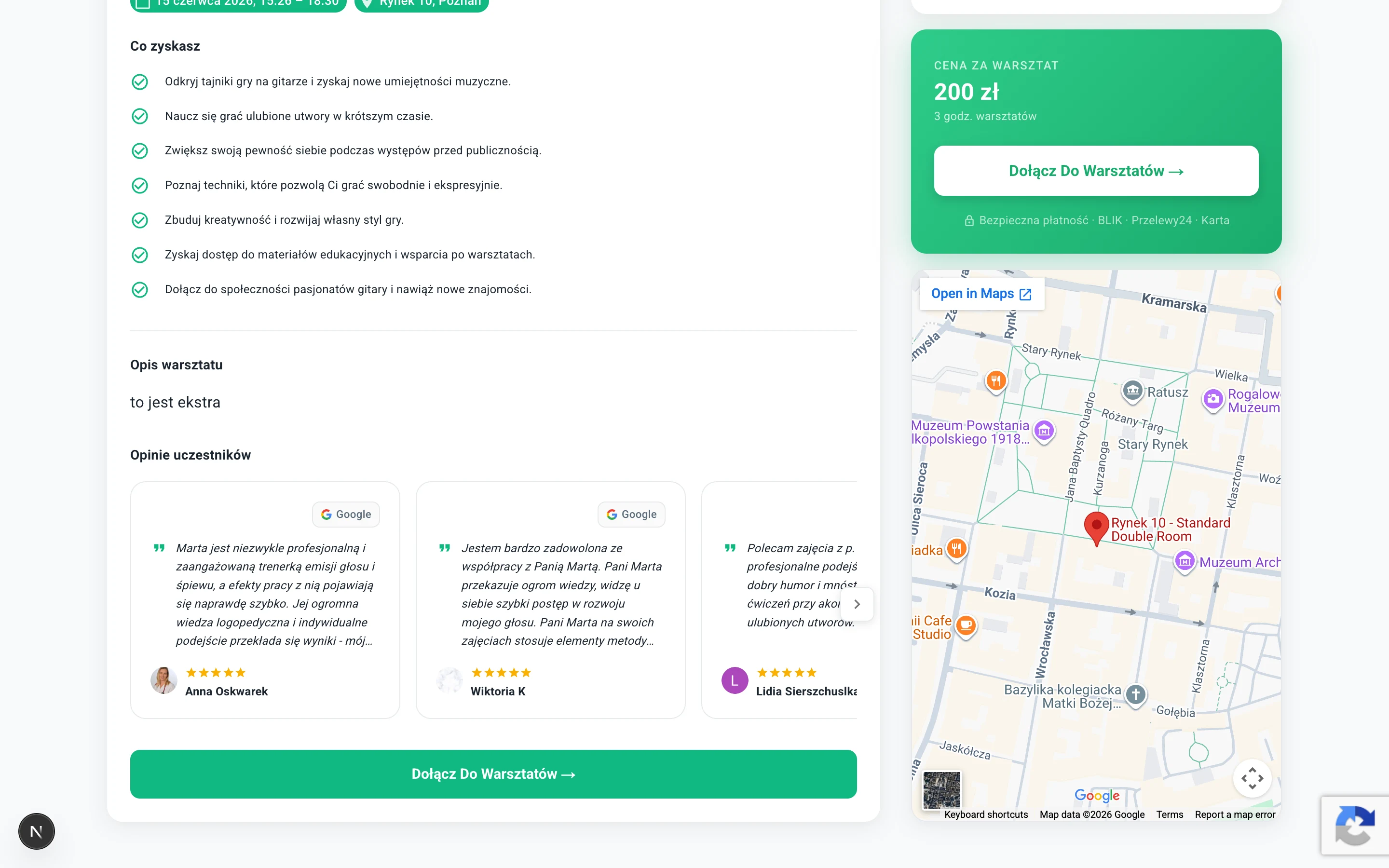
Every workshop landing page can display a list of concrete benefits — what students will learn, take away, or achieve. You can write them manually or click the Nico sparkle button to generate them automatically based on your title and description.
The AI reads your description and produces 4–6 focused, outcome-oriented bullet points. Teachers who tested this during our beta told us it saved them 20–30 minutes per workshop — and the generated benefits converted better than what they had written themselves.
Google Reviews — Automatically Synced
Trust is the #1 reason students choose one teacher over another. We integrated directly with Google Maps so your existing reviews appear on every workshop page.
Here is how it works:
- Paste your Google Maps profile URL into your teacher settings (one-time setup)
- Learnico runs a nightly sync and pulls your latest reviews
- Your Google rating badge appears in the teacher sidebar on every workshop page — showing your score, star rating, and a label ("Top Rated", "Recommended")
- Your Google reviews are mixed into the reviews carousel alongside any manual reviews you add
We also embed your Google rating as aggregateRating in the schema.org Event markup. This means Google Search may show your star rating directly in search results.

Mixed Reviews Carousel
The reviews section on each workshop page shows a horizontally scrollable carousel that blends two types of reviews:
- Manual reviews — added by you in the workshop editor, with author name, title (e.g. "Graphic Designer"), and star rating
- Google reviews — pulled automatically from your Maps profile, with the reviewer's photo and a "From Google" badge
Students can click any Google review to open your Maps profile and read the full thread. The carousel uses scroll-snap for smooth mobile scrolling and hides when no reviews exist.
Enrollment, Waitlist, and Capacity
When a student opens your workshop page, they see a sticky sidebar card with:
- Date, time, and format (online / in-person)
- Price in your chosen currency
- Number of spots remaining
- An Enroll Now button
When the workshop reaches full capacity, enrollment closes automatically and a Join Waitlist form appears. Students on the waitlist receive an email notification if a confirmed spot opens up.
Enrollment status is tracked in real time. The public page re-renders every 60 seconds via Incremental Static Regeneration, so availability is always accurate without hitting your database on every pageview.
Five Automated Email Templates
Every enrollment action triggers an email. We built five templates that handle the full lifecycle:
Emails go out through our queued email system, which respects rate limits and retries on failure. You do not need to set anything up — it all happens automatically.
Teacher Workshop Dashboard
The /app/workshops panel gives you a full overview of every workshop you have created:
- Status — Draft or Published
- Date and time
- Enrollment count vs. capacity
- View count — how many students have opened the landing page
- Quick links to Edit, View, and Manage participants
From the participant management tab, you can see who is enrolled, who is on the waitlist, and export the list if you need it for an external tool.
Student Workshop List
Students who enroll in workshops get a dedicated /s/workshops page in their dashboard listing every upcoming and past workshop they have signed up for — with dates, teacher names, and status.
SEO and Discoverability
We wanted every workshop page to rank well in Google from day one. Here is what we implemented on the technical SEO side:
schema.org Event Markup
Every workshop page emits a full Event structured data block:
{
  "@type": "Event",
  "name": "Watercolour Techniques for Beginners",
  "startDate": "2026-06-14T10:00:00+02:00",
  "endDate": "2026-06-14T12:00:00+02:00",
  "eventAttendanceMode": "https://schema.org/OfflineEventAttendanceMode",
  "location": {
    "@type": "Place",
    "address": { "addressLocality": "Warsaw", "addressCountry": "PL" }
  },
  "offers": {
    "@type": "Offer",
    "price": "149",
    "priceCurrency": "PLN",
    "availability": "https://schema.org/LimitedAvailability",
    "remainingAttendeeCapacity": 3
  },
  "aggregateRating": {
    "@type": "AggregateRating",
    "ratingValue": "4.9",
    "reviewCount": 47
  }
}
The availability field updates dynamically: InStock when spots are available, LimitedAvailability when fewer than 20% remain, SoldOut when full. Google uses this data to display event rich results — including date, price, and availability — directly in search results.
BreadcrumbList Markup
Each page also emits a BreadcrumbList schema: Workshops → Teacher Name → Workshop Title. This helps search engines understand the hierarchy of the site and often produces breadcrumb trails in organic results.
Canonical URLs and Hreflang
Every workshop has a canonical URL that resolves to both /workshops/slug (English) and /pl/workshops/slug (Polish). The generateMetadata function outputs proper hreflang alternate links, so Google knows to serve the correct language version to each user without treating them as duplicate pages.
Open Graph and Social Sharing
Each workshop page has a unique OG title, description (stripped of HTML, capped at 160 characters), and image — either the workshop cover photo or the teacher's profile photo as fallback. When a teacher shares their workshop link on social media, the preview card populates correctly.
What's Next
This is the first version. Based on what teachers tell us during the next few weeks, we are planning:
- Recurring workshops — weekly or monthly series on a single enrollment page
- Coupon codes — percentage or fixed discounts for early sign-ups
- Certificate generation — PDF attendance certificates sent automatically after the event
Have a feature request? Reach out through the in-app chat or at hello@learnico.io.
Workshops are available to all Learnico accounts starting today. Open your dashboard, click "Workshops" in the sidebar, and publish your first one in under 5 minutes.