

Nico is now in Learnico. What it can do and how to use it
Published on September 27, 2026
Nico is an assistant inside Learnico: you tell it what you need, like checking your week, seeing who hasn't paid or cancelling a lesson. Here's how it works, what it does, and what it won't.
As of today there's a new icon in the bottom-right corner of your Learnico dashboard. That's Nico. You write to it the way you'd write to a colleague, it looks things up in your Learnico account and answers. If you ask it to change something, it prepares the change and waits for you to approve it.
The idea was simple: things that take a few clicks around the dashboard should take one sentence. Below is what that looks like in practice. The screenshots come from a test account, so the students and courses in them are made up, but the answers are real ones Nico gave in the chat.
Your week
The obvious one first: ask what's on this week, and Nico lists your lessons with times, students and courses.
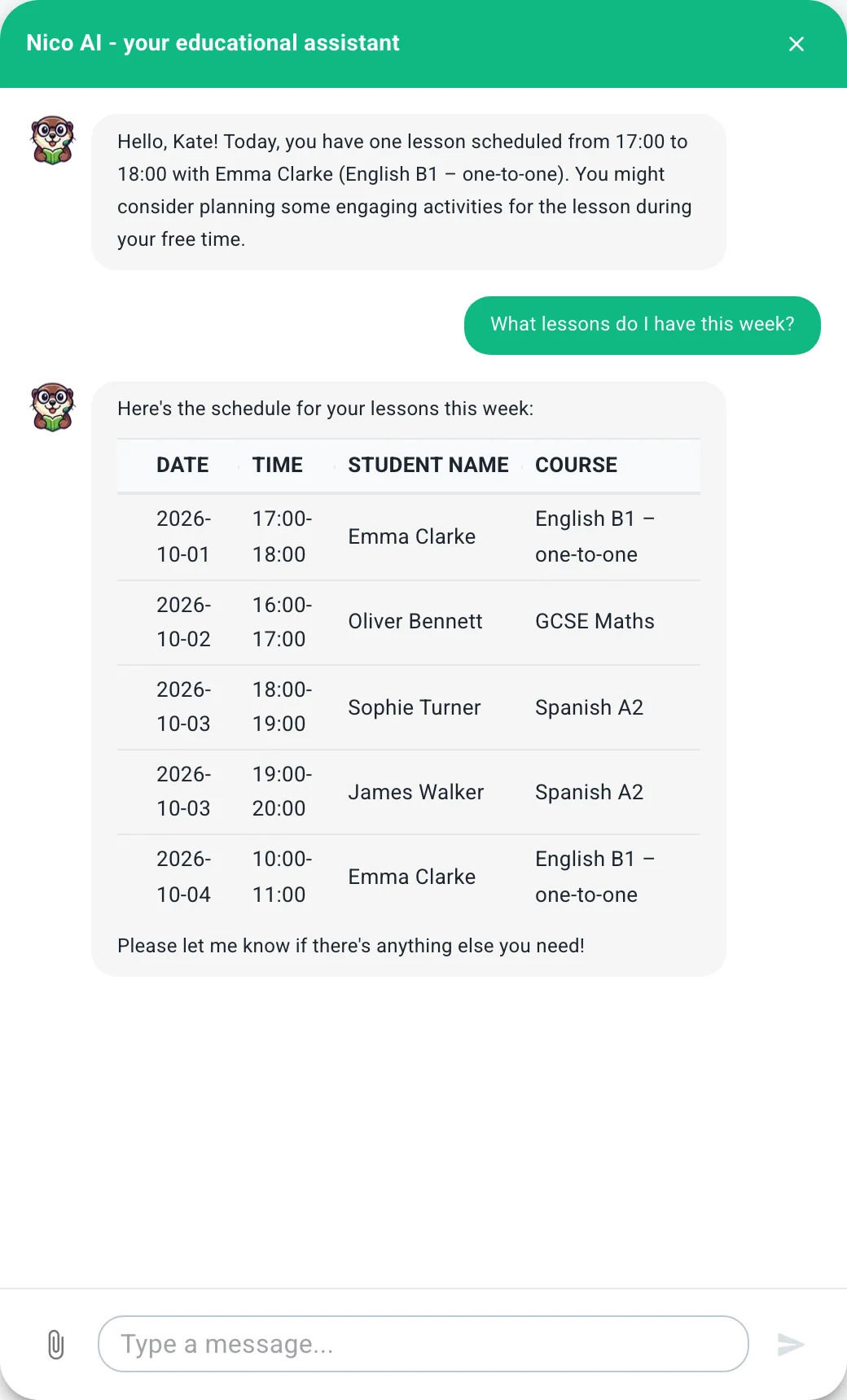
It works backwards too. Ask how many lessons you've had with someone this month and Nico counts the no-shows and cancellations as well. When you open the chat it tells you what you have today, so often you don't need to ask anything.
Payments
The question you probably ask yourself every month: who hasn't paid yet. Nico pulls that together from all your courses into one list.
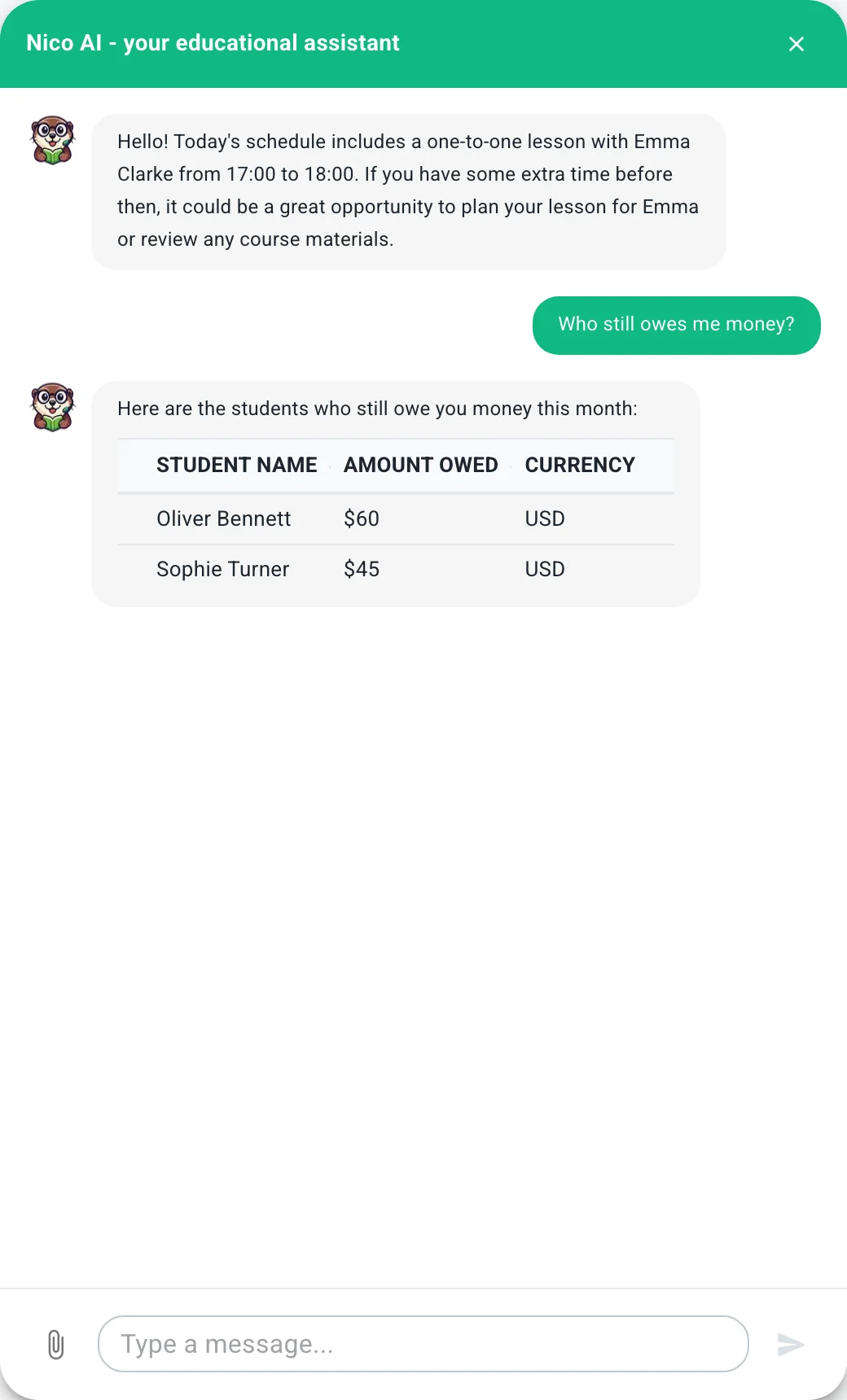
From there you can ask for a reminder straight away, to one student or to everyone who owes you. Nico also answers how much you earned in a given month, and a quick "and the month before?" without you repeating the whole question.
You approve every change
Nico can see your data, so we set one rule with no exceptions: it never changes anything by itself. When you ask for something that changes things (cancelling a lesson, a day off, a payment reminder), you get a card describing exactly what will happen. Nothing happens until you click "Confirm".
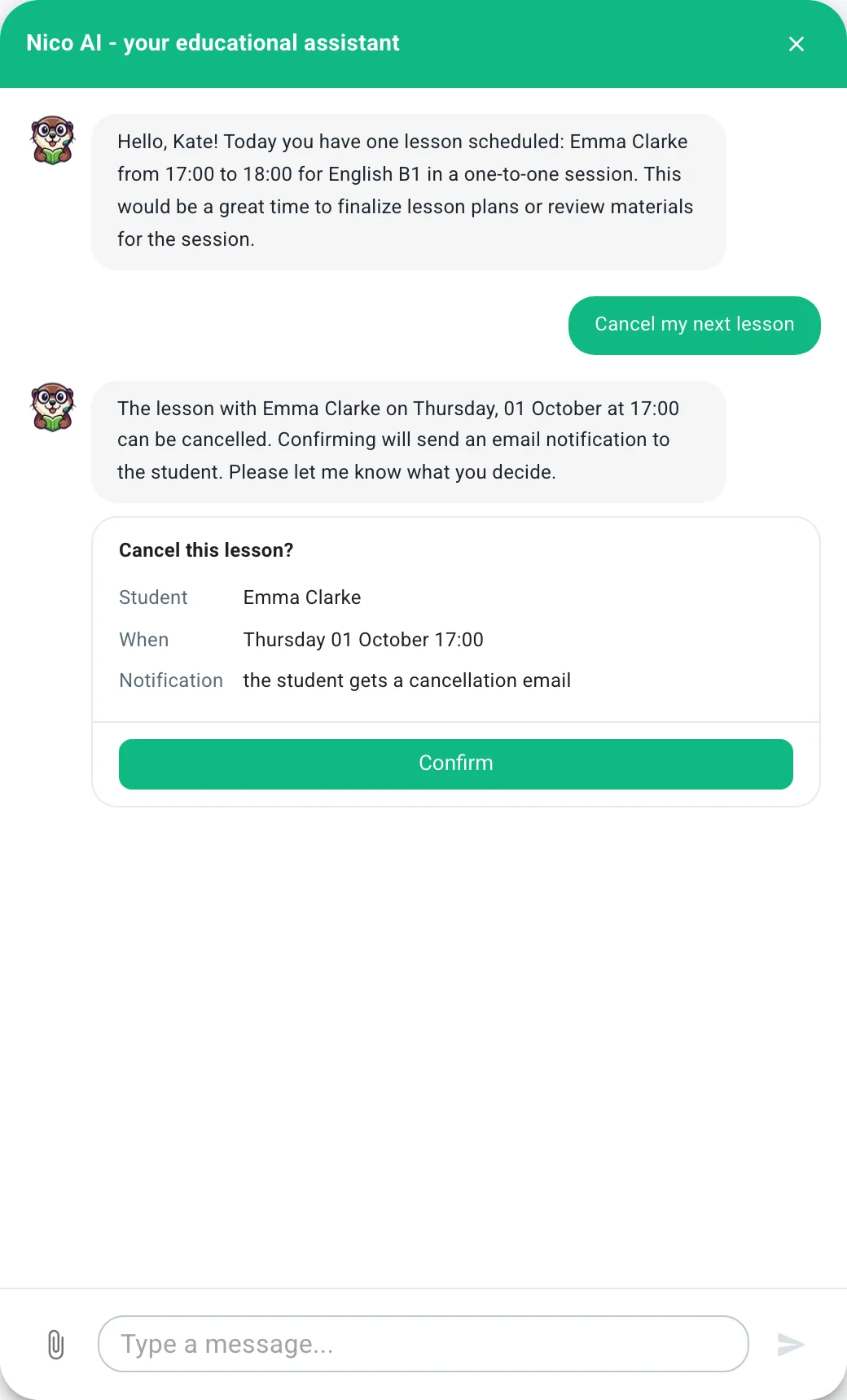
In the screenshot above we simply asked it to cancel the next lesson. The card shows which lesson that is and that the student will get an email. If something's off, don't click; just tell Nico what you meant.
The same way, Nico can prepare:
- moving a lesson, adding an extra one, or marking who came and who didn't,
- time off, along with what to do about each lesson that falls on it,
- inviting a student to a course, updating their details or setting their own rate,
- marking a payment as paid,
- changes to your courses, workshops and bookable slots, including publishing them.
If you can't find something in Learnico, you can ask about that too. Nico answers from our documentation rather than from memory.
Material for your lessons
Nico can put together a lesson plan or a worksheet for a topic and level you give it. You get a list of exercises with a short note on what each one practises.
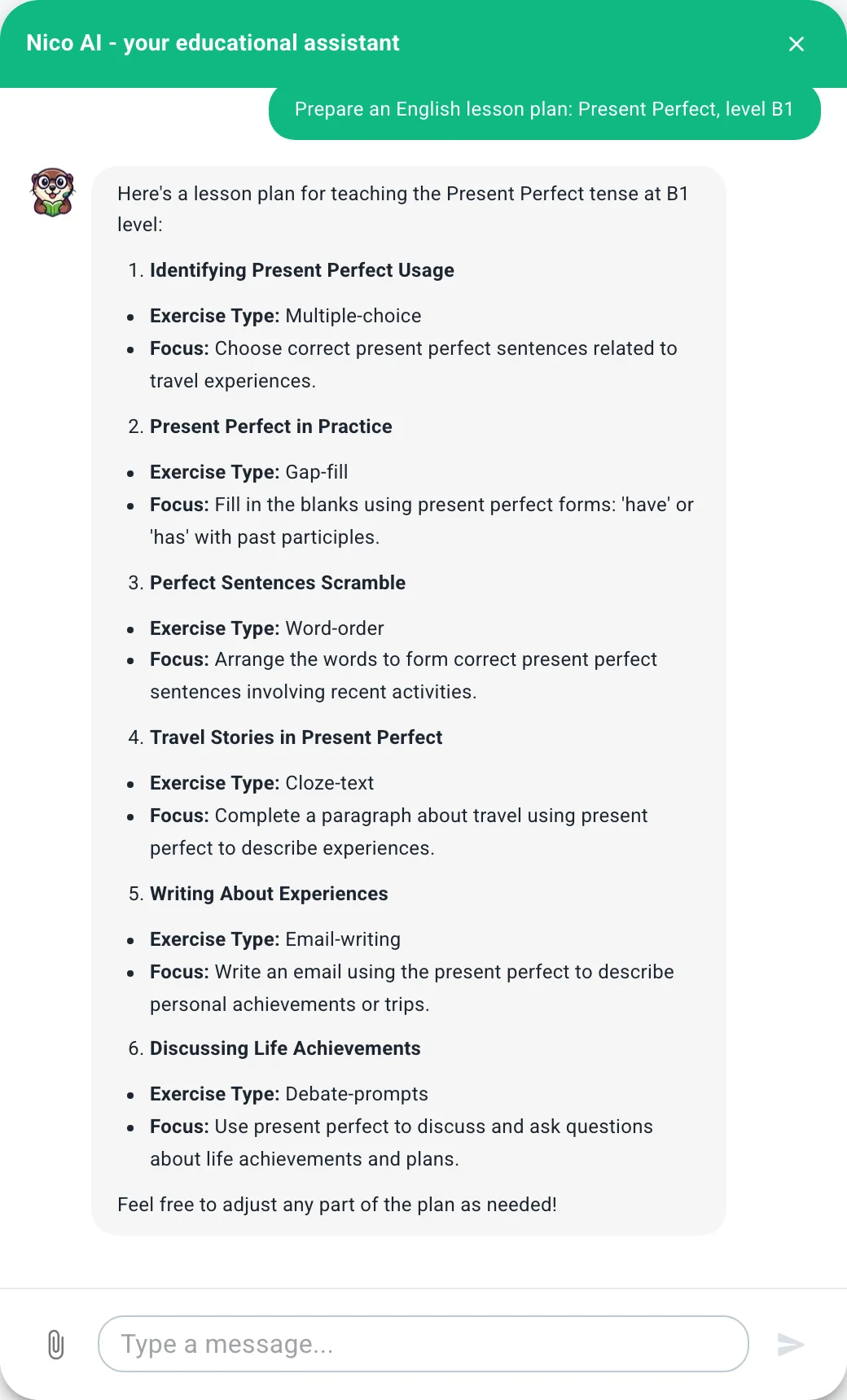
Treat it as a starting point. You know your students; Nico only knows the topic and the level.
What to expect
Nico works with your Learnico data and nothing else. It won't look into your email or your Google Calendar, and it knows nothing about students outside the platform.
If what you ask could mean two things (say you teach two students called Emma), Nico asks which one instead of guessing. We'd rather it ask once too often than send a reminder to the wrong person.
You can write in English or Polish. Nico replies in the language your dashboard is set to.
Getting started, and what it costs
Until December 31, 2026, Nico is free for every teacher on Learnico, the FREE plan included. On FREE it answers 20 messages a day; on START there's no daily limit. From January 1, 2027, Nico stays with the START plan. Click the Nico icon in the bottom-right corner (on a phone, the Nico button in the middle of the bottom bar) and type your first question.
To mark the launch, the first six months of START cost $2.99 a month (€2.49 if you pay in euros). That's for new monthly subscriptions paid by card and started by December 31, 2026. Besides Nico with no limit, START gives you online courses with video and audio, a public booking calendar, course sign-ups and payments through Learnico, and workshops. After six months the regular price on the pricing page applies, and you can cancel any time.
If Nico gives you a strange answer, or you miss something it can't do yet, let us know. You can even do that through Nico: it can send a message to our support team on your behalf.